Engage · Meetings
Meetings: recorded, transcribed, turned into work
A bot joins your customer calls on Zoom, Google Meet and Teams. Minutes after the call, the notes are on the account, the records are updated, the follow-up task exists and the recap email is drafted.
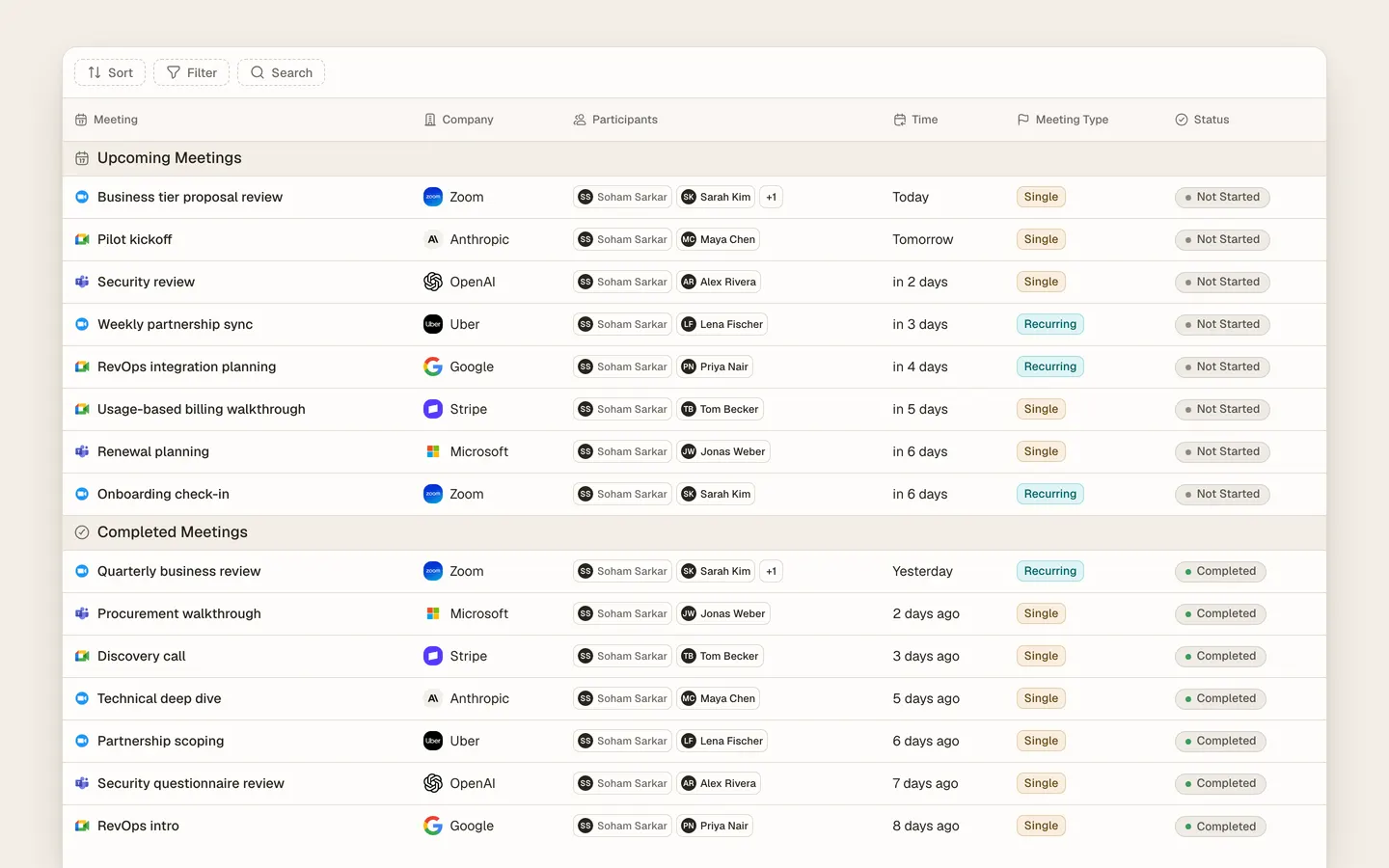
Meetings in Heliyos turn every customer call into updated records and work. A recording bot joins calls from your connected Google or Microsoft calendar, transcribes them with speakers and writes a summary with decisions, objections and next steps. Parker then updates the company, people and deal from the transcript with passage links, adds new attendees as contacts and creates one task for the follow-up. Taylor picks that task up and drafts the recap or the proposal. The notes live on the account timeline beside the emails.
Use cases
Use cases
You come out of a 45-minute discovery call
The summary, the objections, the pricing discussed and the next step are on the account before you open your laptop again.
Two new people joined the call
Parker adds them as contacts with the roles they introduced themselves with, linked to the company, no duplicates.
The customer agreed to a pilot
Parker moves the deal to the pilot stage, citing the transcript at 38:12. If stage changes need review, it waits for you first.
Three commitments were made on the call
They become one task with three lines, linked to the meeting, assigned to Taylor or to the owner, due when you said.
"Let’s meet again next week"
Taylor proposes times from your calendar and holds the slot. The invite goes out when you approve.
A colleague missed the call
They read the notes on the account and the transcript with timestamps, and see the tasks that came out of it.
How it works
How it works
- 01
Connect your calendar
Google or Microsoft. Choose which meetings the bot joins, by default external calls only.
- 02
The bot records the call
Attendees see it join. The recording and transcript land on the meeting in Heliyos within minutes.
- 03
Parker updates the account
Summary, people, deal stage and a task for the follow-up, each with the transcript passage it came from.
- 04
Taylor drafts the follow-up
The recap email, the proposal or the next invite is ready in Reviews before the next meeting starts.
Workers
Who works here
Workers show up where the team already is, with a clear marker for who did what. Your own custom workers join them.
 Parker
 Taylor
FAQ
Questions people ask
- How do AI meeting notes get into the CRM?
- The notes are written onto the meeting record on the account, and Parker uses the transcript to update company, people and deal fields with passage links.
- Which meeting platforms are supported?
- Zoom, Google Meet and Microsoft Teams, for meetings on a connected Google or Microsoft calendar.
- Do attendees know the call is recorded?
- Yes. The bot joins as a visible participant and can announce itself.
- Can I choose which meetings are recorded?
- Yes. Rules decide which calls the bot joins, and you can add or remove it from any single meeting.
Deploy your first AI worker, today.
Closed beta, usage-based pricing, no seats. Join the waitlist and we review your request.