Discover · Enrichment
Enrichment: complete records without the manual work
A company or person arrives from an email, a form, an import or a Scout. Heliyos fills in the rest: firmographics, roles, verified email and phone, and the fields your team actually uses. Then it keeps them current.
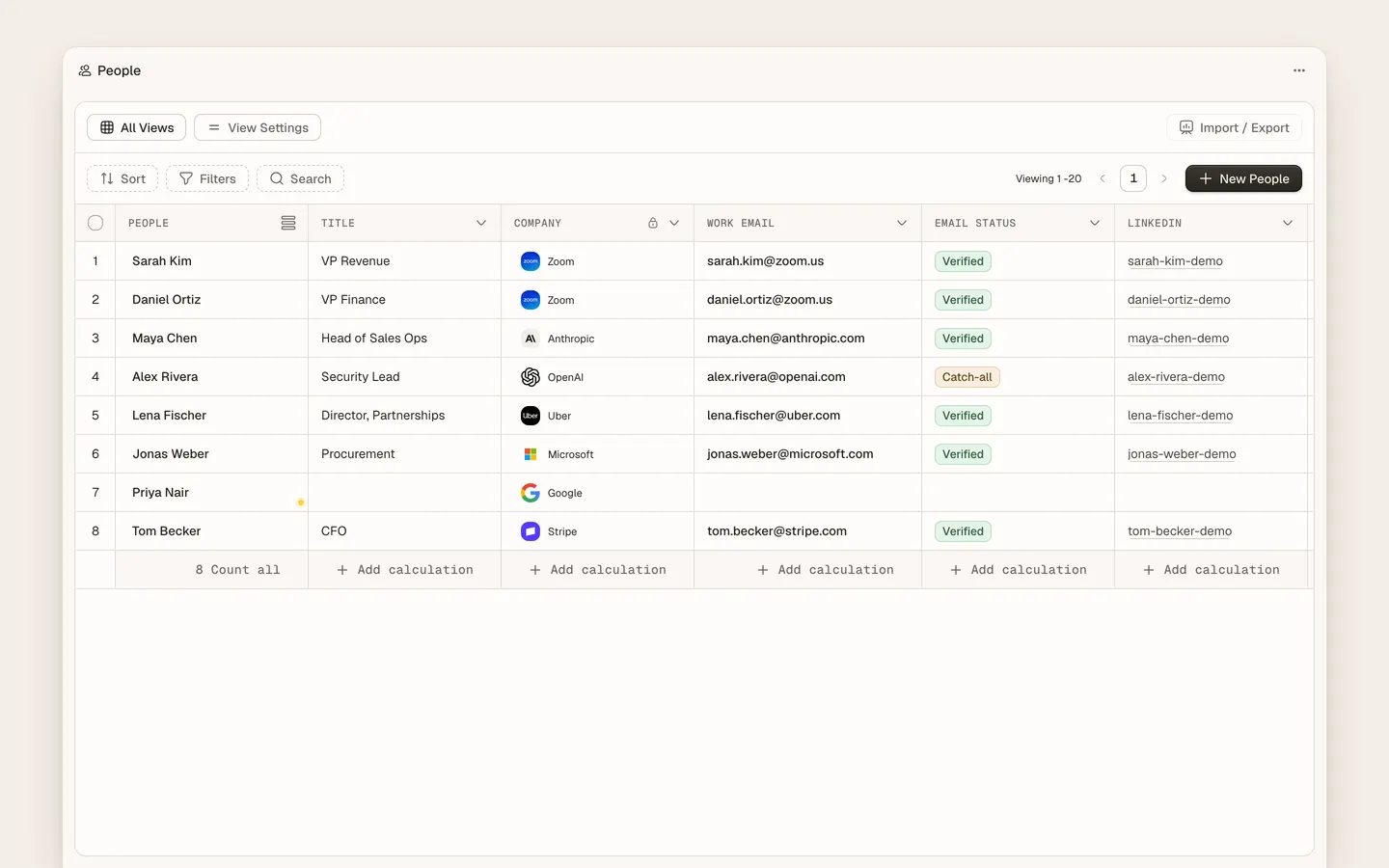
Enrichment in Heliyos completes company and contact records automatically. When a record is created from an inbox thread, a meeting attendee, a Typeform response, a CSV import or a Scout result, enrichment adds industry, size, location, website, social profiles, titles and verified contact details where available, each with its source and date. Records are re-checked over time so a changed role or a bounced address is caught. Values a person typed are never overwritten; a conflict is shown beside them.
Use cases
Use cases
Someone fills in your Typeform
The company and person are created from the response and enriched before Parker summarises them. The first reply goes to a verified address.
A CSV of 2,000 companies from a conference
Import it. Industry, size, location and website fill in, duplicates merge, and Scouts can score the list by the next morning.
A new name in a reply thread
The person is created with title and LinkedIn profile, linked to the company, and shown on the thread. No one types it in.
Your champion got promoted
A re-check updates the title; Parker notes the change on the account; a Scout can turn it into a congratulations task.
A proposal needs the right legal entity and address
Taylor reads the enriched company record. The proposal has the right name on the cover.
Your fields, your rules
Map enrichment to custom attributes, decide what may be overwritten, keep what a person entered by hand.
How it works
How it works
- 01
A record appears
From an email, a meeting attendee, a form, an import or a Scout result.
- 02
Enrichment runs
Public and partner sources are queried and merged. Fields fill with a source and a date.
- 03
Conflicts are flagged
A value that disagrees with what a person entered is shown, not silently replaced.
- 04
Workers use the result
Drafts, summaries and Scout scores all improve with a complete record.
FAQ
Questions people ask
- What is CRM data enrichment?
- Filling in missing or stale fields on company and contact records from external sources automatically, instead of researching and typing them by hand.
- Does enrichment overwrite data my team entered?
- No. Values entered by a person are kept, and a conflicting enriched value is shown beside them for you to decide.
- Where does the data come from?
- Public sources and data partners. Each enriched field keeps its source and date.
Deploy your first AI worker, today.
Closed beta, usage-based pricing, no seats. Join the waitlist and we review your request.